Most people use their phone’s volume buttons for only one purpose: adjusting the sound level. Whether turning down the volume during a meeting or raising it while watching a video, these buttons seem like simple controls that serve a single function. However, modern smartphones are far more sophisticated than many users realize.
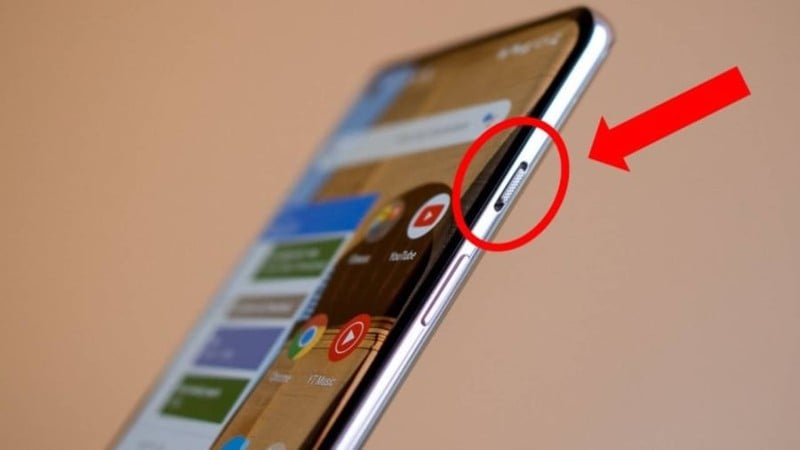
Over the years, smartphone manufacturers and software developers have added a variety of hidden features and shortcuts that allow the volume buttons to perform tasks far beyond controlling sound. These small buttons, usually located on the side of the phone, can become powerful tools that make everyday tasks quicker and more convenient.
Learning these tricks can help users save time, improve efficiency, and even access certain features without unlocking the phone. Here are six surprising things your phone’s volume buttons can actually do.

1. Take Photos Without Touching the Screen
One of the most useful hidden features of volume buttons is their ability to act as a camera shutter button. On many smartphones, pressing either the volume up or volume down button while the camera app is open will capture a photo.
This feature can be extremely helpful in several situations. For example, when taking selfies, it can be difficult to reach the on-screen shutter button without awkwardly adjusting your grip. Using the volume button allows you to hold the phone more naturally and take a photo with greater stability.
It is also useful when taking pictures in landscape mode, because the button acts like a traditional camera shutter. Many people find this method easier and more comfortable than tapping the screen.
In addition, using the physical button can reduce camera shake, helping produce clearer photos.
2. Quickly Silence Incoming Calls
Another convenient feature of volume buttons is the ability to silence an incoming call instantly.
When your phone rings and you cannot answer immediately—such as during a meeting, in a quiet place, or in a classroom—pressing either volume button will usually mute the ringtone without rejecting the call.
The caller will continue hearing the ringing sound on their end, but your phone will stop making noise. This allows you to avoid disruption while deciding whether to answer the call or call back later.
This simple trick can prevent awkward moments when a loud ringtone suddenly interrupts a quiet environment.
3. Control the Camera Zoom
Many smartphone camera apps allow the volume buttons to be used for zoom control when taking photos or recording videos.
Instead of pinching the screen to zoom in or out, which can sometimes shake the camera, users can press the volume buttons to adjust the zoom level more smoothly.
This feature is particularly useful when recording video because it allows you to zoom gradually without interrupting the recording or moving the phone too much.
Some camera apps also allow customization of volume button functions, giving users options such as zoom, shutter control, or focus adjustments.
4. Scroll Pages or Turn E-Book Pages
For people who enjoy reading on their phones, volume buttons can sometimes be used to turn pages in e-books or scroll through content.
Many reading apps and e-book platforms include this option because it mimics the experience of turning pages in a physical book. Instead of touching the screen repeatedly, readers can simply press the volume buttons to move forward or backward through pages.
This feature can make reading more comfortable, especially during long reading sessions. It also helps reduce fingerprints on the screen and allows users to hold the phone with one hand more easily.
5. Activate Accessibility Features or Shortcuts
On some smartphones, pressing certain combinations of hardware buttons—including volume buttons—can activate accessibility features or quick shortcuts.
For example, depending on the device and operating system, volume button combinations may be used to:
-
Turn on accessibility tools such as screen readers
-
Enable magnification features
-
Trigger emergency accessibility shortcuts
-
Activate special modes designed for users with visual or hearing impairments
These features are designed to make smartphones easier to use for people with different needs. However, many users are unaware that such shortcuts exist.
Checking the phone’s accessibility settings may reveal useful options that can be activated using volume buttons.
6. Take Screenshots with Button Combinations
Another common function involving the volume buttons is the ability to take screenshots.
On many smartphones, pressing the power button and the volume down button simultaneously will capture an image of whatever is displayed on the screen.
This feature is extremely useful for saving information such as:
-
Important messages
-
Directions or maps
-
Online receipts
-
Social media posts
-
Interesting articles
Screenshots can be taken instantly without opening any special apps, making it a quick and efficient way to store information.

Why Hardware Buttons Still Matter
Despite the growing number of touch-based controls on modern smartphones, physical buttons remain important. Hardware buttons offer several advantages:
They are quick to access, even when the screen is locked. They provide tactile feedback, which makes certain actions easier without looking at the screen. They can also serve as backup controls when the screen becomes difficult to use.
Because of these advantages, smartphone designers continue to integrate multiple functions into the volume buttons.
Tips for Exploring More Volume Button Features
The exact functions of volume buttons may vary depending on the phone model and operating system. To discover additional features, users can explore their device settings.
Helpful places to check include:
-
Camera app settings
-
Accessibility settings
-
Gesture and shortcut options
-
System settings related to buttons or controls
Some third-party apps even allow users to customize volume button actions, assigning specific functions such as launching apps, controlling music, or activating shortcuts.
Final Thoughts
Although they appear simple, the volume buttons on a smartphone can do much more than adjust sound levels. From taking photos and muting calls to scrolling pages and capturing screenshots, these small buttons provide a variety of convenient shortcuts.
Understanding these hidden features can make everyday smartphone use faster, easier, and more efficient. By exploring the full capabilities of these buttons, users can unlock helpful tools that often go unnoticed.
Sometimes the most powerful features of a device are not hidden in complicated menus—they are right at your fingertips on the side of the phone.