The Phone’s Volume Buttons Have 6 Hidden Functions — Extremely Practical! Not Knowing Them Is Truly a Waste!
The volume buttons on your phone may seem like they’re only used to adjust ringtone or media volume, but in reality, they hide several smart features that not everyone knows about.
If you take advantage of them properly, these tiny buttons can save you time, speed up your actions, and make using your phone much more flexible.
Below are 6 hidden functions of the volume buttons that you should explore today:
1. Take photos quickly without touching the screen
When taking photos—especially selfies or landscape shots—tapping the screen can cause shaking and blurry images.
But simply pressing a volume button, usually the volume down, allows you to capture a photo instantly, just like clicking the shutter button on a real camera.
This is especially useful when using a selfie stick or when you need to hold the phone steady with both hands.
2. Quickly open the camera in emergencies
Many Android phones and iPhones support opening the camera using the volume buttons when the device is locked.
For example: Pressing the volume down button twice quickly (or long-pressing, depending on the model) can launch the camera immediately—without unlocking the screen.
A great way to avoid missing unexpected moments.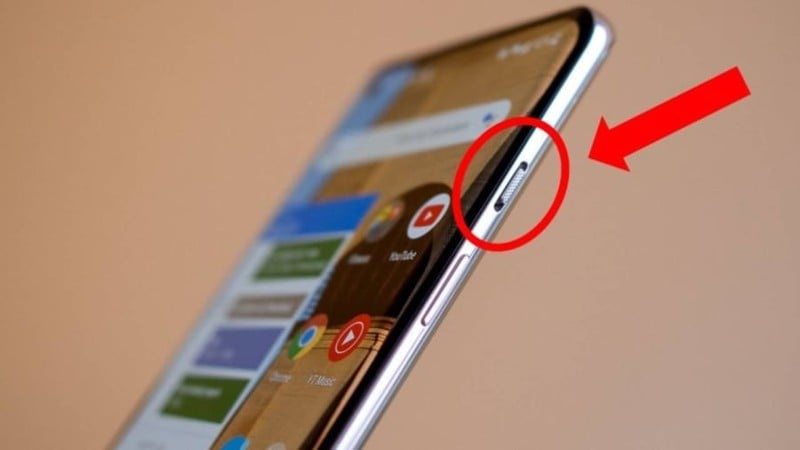
3. Make emergency calls when you can’t use the screen
In dangerous or emergency situations, some phones allow users to trigger emergency calls using the volume buttons.
For instance, pressing the power button or the volume button five times in a row can send out an SOS signal (if enabled).
This feature must be turned on in Settings > Safety & Emergency, and once activated, it can automatically call emergency services and send your current location to trusted contacts.
4. Quickly silence an incoming call
If you're in a quiet environment and a call comes in, instead of fumbling for the on-screen controls, simply press a volume button once.
The ringtone will instantly mute, while the call continues to ring silently or vibrate.
Very useful in meetings, classrooms, or movie theaters.
5. Control music and videos when the screen is locked
Many music apps like Spotify, Zing MP3, and YouTube Music support using the volume buttons for playback controls.
Some phones let you long-press the volume up or down button to switch tracks—even when the screen is locked.
Perfect for running, exercising, or when you can’t hold the phone.
6. Secret recording or quick-launch special features
Certain recording apps, hidden camera tools, or security apps allow users to start recording or activate features using volume-button combinations.
Example: Pressing both volume up and down at the same time can trigger background recording.
Of course, you must set up the feature beforehand.
A few notes:
-
Not all features are available on every phone model.
-
Check Settings > Advanced Features or Gestures & Shortcuts to enable or customize them.
-
Android devices tend to offer more flexibility, depending on the manufacturer.
-
iPhones have similar options through Settings > Accessibility or Side Button settings.
The volume buttons are much more than simple sound controls.
If you know how to use them wisely, they become a powerful “hidden assistant,” helping you operate your phone faster, more conveniently, and more safely in many situations.
Don’t let these useful features go to waste—try them today and discover how much easier your phone can be!