You switch off the television, close your laptop, and head to bed.
The house looks quiet. Everything appears to be turned off.
But some of your appliances may still be drawing a small amount of electricity.
This phenomenon is often called standby power, phantom load, or vampire power. It happens when an electronic device remains connected to an electrical outlet and continues consuming energy even when it isn't actively performing its main function.
For a single device, the amount may seem insignificant.
But when you have televisions, chargers, kitchen appliances, computers, entertainment systems, and other electronics connected around the house, those small amounts can add up.
There is also another reason to pay attention: some appliances are better candidates for unplugging than others because they generate heat, contain heating elements, or don't need to remain powered continuously.
Here are five everyday appliances and electronic devices worth checking in your home.

1. Television and Entertainment Systems
Your television may look completely off when you press the remote.
But many modern TVs aren't truly disconnected from electricity.
They may remain in standby mode, waiting for a remote-control signal, network connection, automatic update, voice command, or another function.
The television itself may consume only a small amount of electricity while waiting.
However, the bigger issue can be the collection of devices surrounding it.
Think about a typical entertainment setup:
-
Television
-
Streaming box
-
Game console
-
Soundbar
-
Blu-ray player
-
Cable or satellite receiver
-
Wi-Fi-connected accessories
Each device may have its own standby consumption.
Individually, these loads may not seem important. Collectively, however, they represent electricity being consumed while nobody is watching anything.
A simple solution
If you have an entertainment setup that isn't needed overnight, consider connecting compatible devices to a smart power strip.
You can switch off the group when you're finished using it rather than unplugging several individual cords every evening.
However, don't disconnect equipment that needs continuous power for important functions, such as recording scheduled programs or maintaining network connectivity.
2. Computers, Monitors, and Accessories
Computers are another common source of standby consumption.
A desktop computer that has been shut down may still draw a small amount of power while connected to an outlet.
Monitors, speakers, printers, docking stations, and other accessories can also remain connected.
The same applies to laptops.
A laptop that has finished charging doesn't necessarily need to remain plugged in continuously, especially if you're not using it.
That doesn't mean leaving a laptop charger connected for a short period is dangerous.
Rather, if a device isn't needed and you want to reduce unnecessary electricity consumption, disconnecting it is one simple option.
What about sleep mode?
Sleep mode is convenient because it allows your computer to resume quickly.
But sleep isn't the same thing as completely shutting the system down.
If you're stepping away for a short period, sleep mode can be useful.
If you won't be using the computer for many hours, shutting it down can reduce energy use.
For long periods when you know the equipment won't be needed, you can also consider turning off the power strip that supplies your computer accessories.
3. Chargers and Power Adapters
Look around your home.
You may find chargers plugged into outlets even though the phone, tablet, smartwatch, headphones, or other device isn't connected.
This is extremely common.
Some modern chargers are designed to minimize energy consumption when they're not actively charging a device, so the amount of electricity involved may be very small.
Still, leaving unnecessary adapters plugged in provides little benefit.
If you don't need a charger connected, unplugging it is a simple habit that can eliminate its standby consumption altogether.
It also reduces the number of energized adapters and cords around your home.
Make charging more organized
Instead of keeping individual chargers scattered around different rooms, consider creating one dedicated charging station.
You can use a suitable power strip or charging hub and switch it off when appropriate.
This makes it easier to control several devices at once.
But always use properly rated, reputable charging equipment and avoid overloading an outlet or power strip.
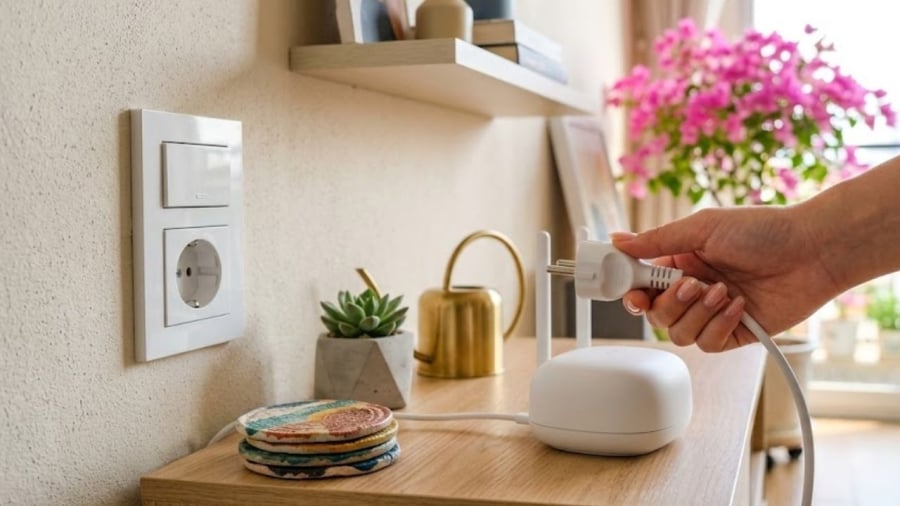
4. Microwaves and Other Kitchen Appliances With Displays
Your microwave may appear to be doing nothing when you're not cooking.
Yet the clock on the front is still glowing.
That display requires electricity.
The same concept applies to certain ovens, coffee machines, air fryers, rice cookers, and other kitchen appliances with electronic controls.
Some modern appliances have timers, clocks, Wi-Fi connectivity, touch controls, or other electronics that remain powered when the main cooking function isn't being used.
The amount of electricity consumed varies significantly from one appliance to another.
So should you unplug every kitchen appliance after every use?
Not necessarily.
A better approach is to consider which devices genuinely need to remain powered and which ones can safely be disconnected when they're not needed.
For example, if you rarely use a secondary appliance, unplugging it between uses may be practical.
Be Careful With Appliances That Generate Heat
There is an important safety consideration here.
Appliances containing heating elements deserve special attention.
Examples include:
-
Toasters
-
Toaster ovens
-
Electric kettles
-
Hair dryers
-
Portable heaters
-
Irons
-
Curling irons
These devices generally don't need to remain plugged in when they're not being used.
For appliances that generate substantial heat, getting into the habit of disconnecting them after use can be a sensible safety measure.
However, don't yank plugs out by the cord.
Grip the plug itself and remove it carefully.
5. Printers and Other Office Equipment
Home printers are often left connected continuously.
You may print something once or twice a week, but the printer can remain powered for the other 160-plus hours.
Depending on the model, a printer may use electricity while waiting for a print command, maintaining a network connection, or performing periodic maintenance.
Other office equipment can behave similarly:
-
External monitors
-
Speakers
-
Scanners
-
Docking stations
-
Fax machines
-
Network equipment
-
Desktop accessories
If you have a home office that isn't used overnight, a switchable power strip can make it easier to shut down several nonessential devices together.
What Exactly Is “Vampire Power”?
The term vampire power sounds dramatic, but the concept is simple.
An electronic device can continue drawing electricity even when it appears to be turned off.
Modern appliances may use small amounts of standby electricity to maintain functions such as:
-
Remote-control reception
-
Digital clocks
-
Network connectivity
-
Memory
-
Sensors
-
Software updates
-
Quick-start functions
-
Indicator lights
The amount varies substantially.
Some devices use almost nothing in standby.
Others can consume more depending on their design and features.
That's why it's not accurate to say that every appliance will make a dramatic difference to your electricity bill simply because it remains plugged in.
The best strategy is to focus on unnecessary standby loads, particularly when many devices are involved.
Does Unplugging Everything Really Save Money?
It can, but expectations should be realistic.
Modern electronics have generally become more energy efficient, and many newer products use very little electricity in standby.
That means unplugging one small device may save only a modest amount.
The savings become more meaningful when you have many devices drawing power continuously.
For example, imagine a household with:
-
Multiple televisions
-
Several gaming systems
-
Several computers
-
Numerous chargers
-
Multiple kitchen appliances
-
Printers and office equipment
-
Audio equipment
Instead of thinking about one appliance, think about the combined standby load throughout the house.
Over months and years, eliminating unnecessary consumption can contribute to lower electricity use.
But if you're trying to reduce a high electricity bill, standby power isn't necessarily the biggest culprit.
Heating, cooling, water heating, refrigeration, cooking, and other high-power equipment can consume substantially more energy.
Your Air Conditioner Is a Different Story
Many people assume the biggest energy savings come from unplugging every electronic device.
That's not always true.
In many homes, major appliances such as air conditioners, electric water heaters, refrigerators, dryers, and other high-power equipment have a much greater effect on electricity consumption.
For example, an air conditioner actively cooling a room can use vastly more electricity than a television sitting in standby mode.
Therefore, if your electricity bill suddenly rises, don't focus exclusively on chargers and televisions.
Consider your overall energy use.
Ask yourself:
How often is the air conditioner running?
Has the weather become hotter?
Is an electric water heater operating for long periods?
Are heating appliances being used more frequently?
Has the household added new high-power equipment?
These questions may reveal much larger sources of consumption.
The Easiest Solution: Use Smart Power Strips
If unplugging individual appliances sounds inconvenient, there's an easier approach.
A smart or switched power strip can allow multiple devices to be disconnected from power simultaneously.
For example, your entertainment center might include:
TV + game console + soundbar + streaming device
Instead of reaching behind the furniture to unplug four different cables, you can switch off the power strip when everything is finished.
You can do the same thing in a home office:
Computer + monitor + speakers + printer + accessories
This makes energy-saving habits much easier to maintain.
But Don't Unplug Everything
There is an important distinction between reducing unnecessary standby power and disconnecting every appliance in your home.
Some appliances are designed to operate continuously.
Your refrigerator, freezer, security system, Wi-Fi router, medical equipment, and certain smart-home devices may need uninterrupted electricity.
Disconnecting them without considering their function could create problems.
For example, unplugging a refrigerator to save a small amount of standby electricity obviously isn't practical because its primary purpose is to maintain a safe temperature for food.
Similarly, some security or network devices need continuous power.
So before unplugging anything, ask:
Does this device need electricity while I'm away or asleep?
If the answer is yes, leave it connected.
If the answer is no, unplugging it or switching off its power strip may be reasonable.
A Simple Nighttime Routine
You don't need to walk through your entire house every evening.
Instead, create a simple routine.
Before going to bed, check:
Living room
Turn off the entertainment system and switch off the power strip if appropriate.
Home office
Shut down the computer and disconnect unnecessary accessories.
Kitchen
Check appliances that don't need to remain connected.
Bedroom
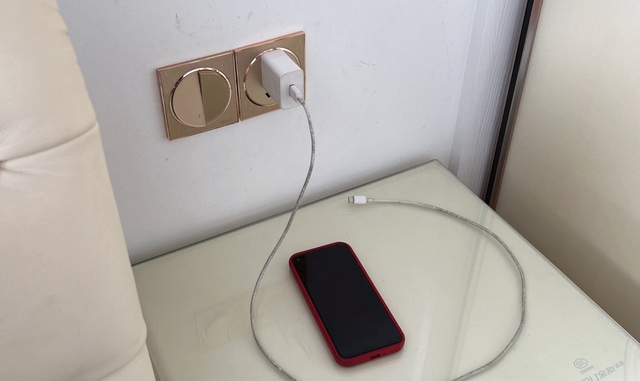
Unplug chargers that aren't being used.
Bathroom
Check heat-producing appliances such as hair dryers or styling tools.
This takes only a few minutes once the habit becomes automatic.
What You Should Never Do
Energy saving should never come at the expense of electrical safety.
Avoid:
-
Overloading power strips
-
Using damaged cords
-
Using frayed chargers
-
Connecting incompatible plugs or adapters
-
Pulling plugs out by the cable
-
Using poor-quality electrical equipment
-
Covering ventilation openings
-
Running appliances in inappropriate locations
-
Connecting high-power appliances to unsuitable extension cords
If an outlet, plug, or appliance becomes unusually hot, smells like burning, sparks, or repeatedly trips a circuit breaker, stop using it and have the electrical issue assessed.
Saving a few dollars on electricity is never worth creating a fire or shock hazard.
The Bigger Lesson About Energy Use
Unplugging unused electronics can be a useful habit, but it's only one piece of household energy management.
If you really want to reduce your electricity consumption, look at the bigger picture.
Improve cooling efficiency
Set your air conditioner appropriately and keep filters clean according to the manufacturer's recommendations.
Use efficient lighting
Replace inefficient bulbs with energy-efficient alternatives.
Manage water heating
Hot-water systems can represent a substantial portion of household electricity use.
Choose efficient appliances
When replacing major appliances, consider their energy-efficiency ratings and expected operating costs.
Avoid unnecessary operation
The simplest energy-saving strategy is often to avoid running equipment when you don't actually need it.
Small habits can help, but high-consumption appliances deserve the most attention.
Final Thoughts
Your home may look completely “off” when you go to bed, but some electronics can continue consuming small amounts of electricity while connected to the outlet.
Televisions, computers, chargers, kitchen appliances with electronic displays, and printers are among the devices worth checking.
The amount of standby electricity varies considerably, and modern devices are often much more efficient than older equipment.
So there's no need to panic or unplug every appliance in your house.
Instead, identify devices that don't need to remain powered, use switched power strips where convenient, and pay particular attention to appliances that generate heat or don't need continuous operation.
The savings from any single device may be small.
But when dozens of devices are connected throughout a home, reducing unnecessary standby consumption can be a sensible part of a broader energy-saving strategy.
And perhaps the best part is that the habit costs almost nothing.
When you're finished using something and it doesn't need to stay powered, simply switch it off—or unplug it.
Sometimes, saving energy starts with something as simple as reaching for the plug.