Most people use their phone's volume buttons dozens of times every day—but usually for just one purpose: turning the sound up or down. What many users don't realize is that these simple side buttons can do much more than control audio.
Depending on your smartphone model, operating system, and settings, the volume buttons can help you take photos, silence calls, activate accessibility features, control media playback, trigger emergency functions, and much more. Some of these capabilities are built into Android or iOS, while others are available only on certain devices or through specific apps.
In this guide, we'll explore nine practical ways your phone's volume buttons can be used beyond adjusting sound, helping you get more out of a feature you probably use every day.
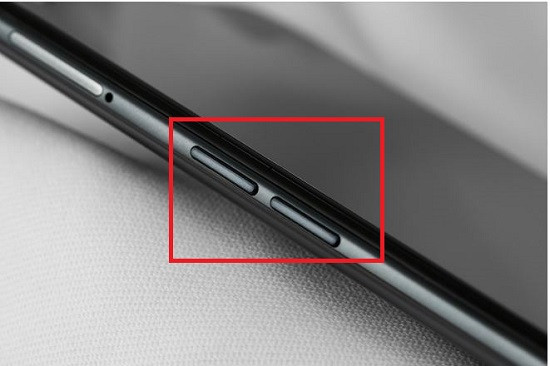
Why Volume Buttons Can Do More Than Adjust Sound
Modern smartphones allow their physical buttons to perform different actions depending on the app you're using.
For example:
-
In the Camera app, they may function as a shutter button.
-
During music playback, they adjust media volume.
-
In some accessibility settings, they can activate helpful features.
-
Certain manufacturers allow custom shortcuts using the side buttons.
Not every feature described below is available on every phone, but many users will find at least several of them on their device.
1. Take Photos Without Touching the Screen
One of the most useful hidden functions is using the volume buttons as a camera shutter.
Instead of tapping the on-screen shutter button, simply press either volume button while the Camera app is open.
Benefits include:
-
More stable photos
-
Easier one-handed shooting
-
Better group selfies
-
Reduced camera shake
-
Convenient landscape photography
Many Android phones and iPhones support this feature by default.
Some camera apps also allow the buttons to:
-
Start video recording
-
Capture burst photos
-
Zoom (depending on settings)
2. Start or Stop Video Recording
On many smartphones, the volume buttons can also start or stop video recording.
This can be particularly useful when:
-
Recording yourself
-
Mounting your phone on a tripod
-
Filming with gloves on
-
Holding the phone at awkward angles
Availability varies depending on the camera application.
3. Quickly Silence Incoming Calls
When your phone rings during a meeting, class, or appointment, you don't necessarily have to reject the call.
On many Android devices and iPhones, pressing either volume button while the phone is ringing will silence the ringtone without declining the call.
The caller continues to hear the phone ringing, while your device becomes quiet.
This is a convenient way to avoid interruptions without appearing to ignore the caller.
4. Control Music and Videos More Easily
Although adjusting media volume is the most familiar use, many users overlook how convenient it can be during entertainment.
The buttons can help you:
-
Lower music instantly
-
Increase podcast volume
-
Adjust movie sound
-
Fine-tune Bluetooth speaker output
-
Control headphone listening levels
Many streaming apps automatically recognize these hardware controls.
5. Zoom While Taking Photos (On Supported Devices)
Some smartphones allow the volume buttons to control zoom inside the Camera app.
Depending on your phone and camera settings, pressing the buttons may:
-
Zoom in
-
Zoom out
-
Switch between lenses
This feature is particularly useful when photographing distant subjects while trying to keep the phone steady.
Not all camera apps offer this option.
6. Activate Accessibility Shortcuts
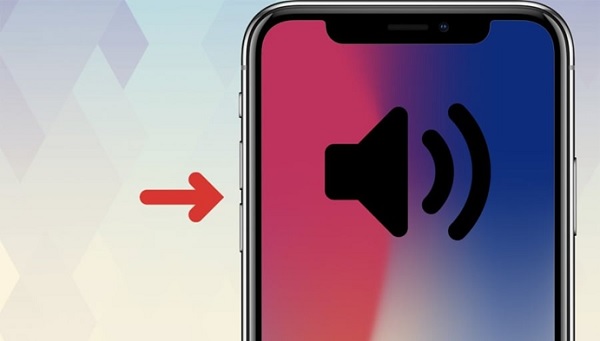
For many users, the volume buttons play an important role in accessibility.
Depending on your device, pressing and holding both volume buttons may activate features such as:
-
Voice assistance
-
Magnification
-
Live captions
-
TalkBack (Android)
-
Accessibility Shortcut (iPhone)
These tools can improve smartphone usability for people with visual, hearing, or mobility impairments.
7. Trigger Emergency Features (On Supported Devices)
Many smartphones include emergency safety functions that involve hardware buttons.
Examples include:
-
Emergency SOS
-
Emergency calling
-
Sending your location to emergency contacts
-
Activating medical information
The exact button combination varies by manufacturer and operating system.
Because accidental activation is possible, it's helpful to familiarize yourself with your phone's emergency settings before you need them.
8. Take Better Selfies
Using the on-screen shutter button often causes slight hand movement that can blur photos.
The volume buttons provide a more natural grip when taking selfies.
Advantages include:
-
Improved stability
-
Easier reach
-
More comfortable hand position
-
Better framing
-
Reduced accidental screen taps
This is especially helpful when using selfie sticks or small tripods.
9. Use Custom Shortcuts on Certain Phones
Some Android manufacturers allow users to customize what hardware buttons do.
Depending on your device, you may be able to assign shortcuts such as:
-
Launching the camera
-
Opening a favorite app
-
Turning on the flashlight
-
Starting voice assistant
-
Activating accessibility features
Some third-party automation apps also provide additional customization options, although availability depends on your phone's software and security settings.
Features That Depend on Your Device
Not every smartphone offers the same capabilities.
Support depends on factors including:
-
Android or iOS
-
Operating system version
-
Phone manufacturer
-
Camera application
-
Accessibility settings
-
Installed apps
For example:
-
iPhones and Android phones both allow the volume buttons to capture photos.
-
Emergency SOS button combinations differ between manufacturers.
-
Some Android brands include additional shortcut options that are not available on other devices.
Checking your phone's Settings app or user guide can help you discover which features are supported.
Tips for Getting the Most From Your Volume Buttons
To make the most of these hardware controls:
-
Explore your Camera app settings.
-
Review Accessibility settings.
-
Learn your phone's Emergency SOS shortcut.
-
Keep your software updated.
-
Test shortcuts before relying on them.
-
Avoid installing untrusted apps that require extensive hardware permissions.
A few minutes spent exploring your phone's settings can unlock features you may use every day.
Common Myths About Phone Volume Buttons
Myth: They only control sound.
Fact: Many smartphones allow the volume buttons to perform several additional functions, especially within specific apps.
Myth: Every phone has the same shortcuts.
Fact: Available features vary by operating system, software version, manufacturer, and device model.
Myth: Pressing the volume buttons can damage your phone.
Fact: Under normal use, volume buttons are designed for frequent operation and are safe to use as intended.
Myth: Camera shutter buttons only exist on professional cameras.
Fact: Most modern smartphones allow the volume buttons to function as a camera shutter, making photography easier and more stable.
Myth: Emergency button combinations are identical on every device.
Fact: The method for activating Emergency SOS or similar safety features differs among manufacturers and operating systems.
How to Check Which Features Your Phone Supports
If you're unsure what your phone can do, try these steps:
-
Open your Camera app and test whether the volume buttons capture photos.
-
Explore Settings > Accessibility for available shortcuts.
-
Review your phone's Emergency SOS settings.
-
Check your manufacturer's support documentation for model-specific features.
-
Keep your device updated to access the latest features and improvements.
The Bottom Line
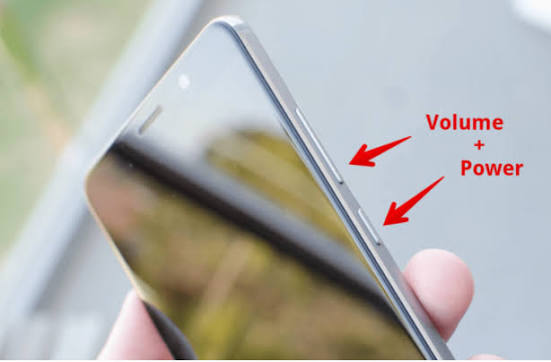
Your phone's volume buttons are far more versatile than many people realize. Beyond adjusting sound, they can often help you take photos, record videos, silence incoming calls, access accessibility tools, trigger emergency features, and perform other convenient tasks. While the exact functions vary depending on your device, operating system, and settings, learning these shortcuts can make everyday smartphone use faster, easier, and more efficient.
Taking a few moments to explore your phone's settings may reveal practical features that have been available all along—helping you get more value from a device you use every day.