Most people think electricity stops being used the moment they switch an appliance off.
Unfortunately, that isn't always the case.
Many household electronics continue drawing a small amount of electricity while they remain plugged into an outlet. This is often called standby power, phantom load, or vampire power.
For a single device, the amount may be tiny. But a home can contain dozens of plugged-in electronics, and some devices can consume substantially more energy when they remain in standby mode or continue performing background functions.
That doesn't mean unplugging everything in your home will suddenly cut your electricity bill in half. The actual savings depend on the device, how much power it uses while idle, how long it remains plugged in, and your local electricity rate.
Still, identifying unnecessary standby consumption can be a simple way to reduce wasted energy.
Here are five common household devices worth paying attention to.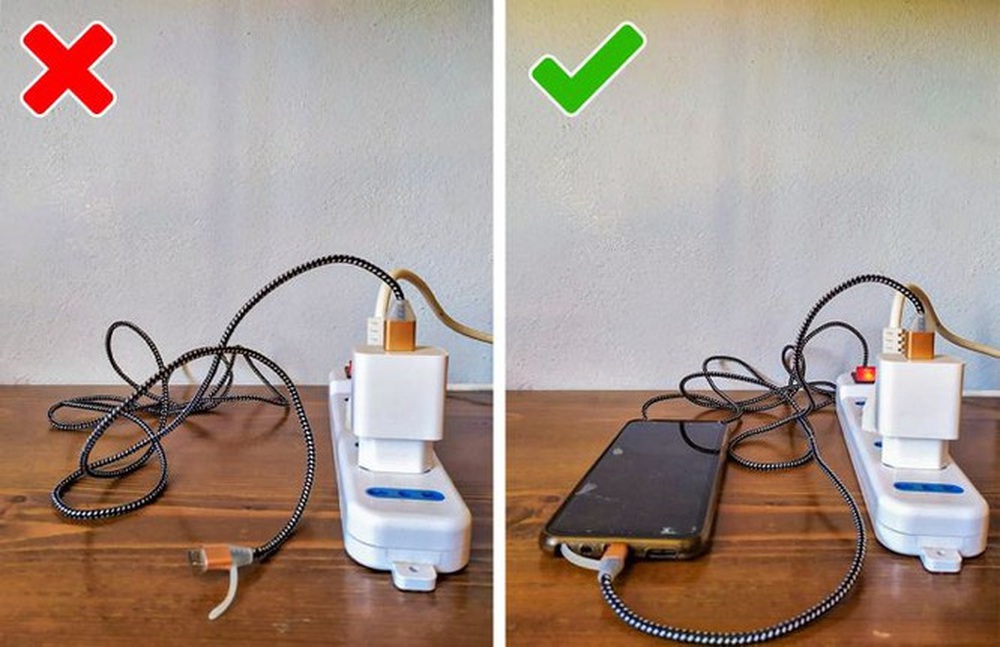
1. Televisions and Entertainment Systems
A modern television may appear completely off when you press the power button, but many TVs remain connected to the electrical system in standby mode.
That's because the television needs a small amount of power to respond to the remote control, maintain certain settings, receive updates, or perform other background functions.
The TV itself may not be the biggest concern.
The entire entertainment system can include:
-
Streaming devices
-
Game consoles
-
Soundbars
-
AV receivers
-
Cable or satellite boxes
-
External speakers
When several of these devices remain plugged in continuously, their standby consumption can add up.
Some newer electronics are designed to use very little standby electricity, while older equipment may consume more.
If you rarely use a particular entertainment setup, turning it off at a switched power strip can be a convenient way to disconnect multiple devices at once.
2. Computers, Monitors, and Printers
Desktop computers, monitors, printers, and other office equipment can also consume electricity when they aren't actively being used.
A computer in sleep mode generally uses much less electricity than one running normally, but it may still draw some power.
Monitors can behave similarly.
Printers are another interesting example because many models remain partially active while waiting for a print command. They may monitor the network, maintain internal systems, or stay ready to respond quickly.
For a home office that operates every day, standby consumption may be relatively modest compared with the electricity used while the equipment is actively running.
But if a printer or computer is rarely used and stays powered continuously, there is little reason to keep it fully active around the clock.
Turning equipment off when you're finished can make sense, particularly for devices that aren't needed remotely.
3. Chargers and Power Adapters
This is one of the most commonly discussed forms of standby electricity use.
Phone chargers, laptop adapters, tablet chargers, and similar power supplies can consume electricity when plugged into an outlet even when the device isn't connected.
However, the amount used by a modern, unloaded charger is usually quite small.
The bigger issue can be the number of chargers and adapters left plugged in throughout the home.
Think about how many outlets you may have occupied:
One beside the bed.
One at your desk.
One in the kitchen.
One in the living room.
One in a guest room.
Another behind the sofa.
Individually, the electricity consumed by modern chargers may be minimal.
But developing the habit of unplugging chargers when they are not needed can still reduce unnecessary standby use and also helps keep cords and adapters organized.
4. Microwaves and Appliances With Digital Displays
Some kitchen appliances continue drawing electricity simply to maintain a clock, display, memory, or electronic control system.
Microwave ovens are a familiar example.
When the microwave is not cooking anything, its digital display may still show the time.
That display requires electricity.
The same principle can apply to ovens, coffee makers, air fryers, and other appliances with electronic controls.
For many of these appliances, standby consumption is relatively low.
So unplugging a microwave every night may not produce dramatic savings.
There can, however, be a meaningful cumulative effect if your home contains many appliances that remain electronically active 24 hours a day.
The more important consideration is convenience.
An appliance that's difficult to access behind a cabinet or counter may not be worth unplugging repeatedly.
A switched outlet or smart plug may provide an easier solution.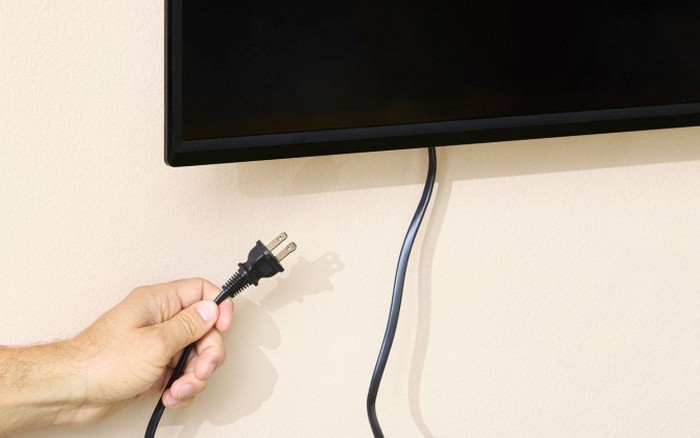
5. Game Consoles and Streaming Devices
Gaming systems and streaming equipment are increasingly common in homes, and modern devices can perform numerous tasks while they're not being actively used.
A console may remain connected to the internet, download software updates, charge accessories, or maintain a quick-start mode.
Streaming devices can also remain ready to receive commands or connect to network services.
These functions can consume some electricity even though the device isn't displaying anything on the screen.
Again, the exact amount varies by model and settings.
A useful approach is to check the device's energy-saving options.
Many electronics offer settings designed to reduce power consumption when the equipment has been inactive for a certain period.
Using those settings can provide some of the convenience of standby mode while reducing unnecessary energy consumption.
Why Standby Power Exists
You might wonder why manufacturers don't simply design every device to use zero electricity when switched off.
The answer is convenience.
People expect their television to respond instantly to a remote control.
They expect their computer to wake quickly.
They want their smart speaker to remain connected.
They want their printer to receive a wireless print job.
They want their microwave clock to remain accurate.
All of those features require some connection to the electrical system.
The tiny amount of power consumed while waiting for instructions is the price of that convenience.
Is Standby Power Really a Big Deal?
This is where online articles sometimes exaggerate.
Standby power is real, but not every plugged-in appliance is secretly sending your electricity bill through the roof.
A modern efficient charger drawing a tiny amount of electricity is not comparable to an older device with a larger standby load.
Similarly, a television that consumes a small amount in standby may cost relatively little over an entire year.
The impact becomes more meaningful when you have many devices, particularly older electronics, running continuously.
The best strategy is therefore not to obsess over every plug.
Instead, identify the devices that are unnecessary, high-use, or known to consume more power while idle.
Your Biggest Electricity Users May Not Be These Devices
If your goal is to substantially reduce your electricity bill, it's important to look beyond standby power.
Heating and cooling systems can consume far more electricity than many small household electronics.
Water heaters, electric dryers, ovens, refrigerators, and other high-power appliances can also have a much larger effect on your monthly consumption.
For example, leaving a phone charger plugged in is unlikely to matter nearly as much as running an inefficient air conditioner for several extra hours every day.
That doesn't make standby power irrelevant.
It simply puts it into perspective.
How to Find Out What Your Devices Actually Use
Guessing isn't the best way to determine which appliances are wasting electricity.
A simple plug-in electricity meter can measure the power consumption of individual devices.
You plug the meter into the wall, connect the appliance to the meter, and observe how much electricity it uses.
This can reveal some surprising results.
You may discover that one device uses almost nothing while another draws noticeable power even when it appears to be turned off.
Once you know what consumes the most energy, you can focus your efforts where they actually matter.
Use Power Strips for Groups of Electronics
One easy solution for entertainment centers and home offices is a switched power strip.
Imagine you have:
A television.
A game console.
A soundbar.
A streaming device.
A Blu-ray player.
Instead of unplugging five separate cables every night, you can connect them to one power strip and switch the entire group off when you're finished.
The same strategy can work for:
Computer equipment.
Desk lamps.
Printers.
Speakers.
Charging stations.
This makes energy-saving much easier to maintain as a habit.
Smart Plugs Can Make It Even Easier
Smart plugs can automatically turn certain devices off according to a schedule.
For example, you might configure a power strip to turn off overnight and switch back on shortly before you normally use the equipment.
This can reduce standby time without requiring you to remember every day.
However, smart plugs themselves consume a small amount of electricity, so they aren't magic zero-energy devices.
The goal is to ensure the power saved by controlling the connected equipment outweighs the plug's own consumption.
Don't Unplug Appliances That Need Continuous Power
Unplugging isn't always appropriate.
Some devices need to remain connected.
Refrigerators and freezers obviously need electricity continuously.
Medical equipment may require constant power.
Security systems, network equipment, and certain smart-home devices may need to remain active.
Disconnecting these devices simply to save a few cents could create more problems than it solves.
Always consider what the device is designed to do before cutting its power.
Safety Matters Too
There's another reason to develop good habits around electrical devices: safety.
Damaged cords, overloaded outlets, loose plugs, and poorly maintained power strips can create hazards.
Never force plugs into outlets.
Don't use damaged chargers.
Avoid overloading power strips.
Keep electrical equipment away from water.
And replace cables that show exposed wires or serious damage.
Energy efficiency should never come at the expense of electrical safety.
What About Leaving a Laptop Plugged In?
This depends on the device and how it is designed.
Modern laptops generally have sophisticated battery-management systems that prevent them from continuously charging at maximum power.
However, keeping a laptop connected to its charger can still use electricity, especially if the computer is operating or running background tasks.
The bigger question is whether the laptop needs to remain powered.
If you're finished working for the day, shutting it down or using an appropriate sleep or hibernation mode can reduce energy consumption.
What About the Refrigerator?
People often ask whether they should unplug appliances such as refrigerators to save electricity.
Generally, no.
Refrigerators are designed to operate continuously.
They use electricity to maintain a safe temperature, and repeatedly unplugging them can cause food-safety problems.
Instead, focus on maintaining the appliance properly.
Keep the doors closed as much as possible.
Make sure seals are intact.
Keep the temperature appropriately set.
Clean and maintain the appliance according to the manufacturer's recommendations.
These measures are more sensible than repeatedly disconnecting it.
Habits That Can Make a Difference
You don't need to walk around your home unplugging every cable you see.
Start with devices that aren't needed continuously.
When leaving for a long trip, consider unplugging nonessential electronics that would otherwise remain unused.
At night, switch off entertainment systems and desktop equipment.
Use power strips for groups of devices.
Enable energy-saving settings on computers, televisions, and gaming systems.
And periodically check your electricity usage to see whether your changes are actually making a difference.
The Bigger Picture: Small Savings Can Add Up
Saving energy isn't always about one dramatic change.
Sometimes it's a collection of small improvements.
Turning off unnecessary electronics.
Adjusting heating and cooling.
Using efficient lighting.
Running appliances only when needed.
Improving insulation.
Choosing energy-efficient equipment when old appliances need replacement.
Together, these changes can make a more meaningful difference than obsessing over one tiny standby load.
Don't Let Viral Energy Hacks Mislead You
Social media is full of dramatic claims like:
“Unplug these devices and your bill will be cut in half!”
“Your TV is secretly consuming hundreds of dollars!”
“Your charger is draining electricity all night!”
Some of these claims contain a grain of truth but exaggerate the scale.
Modern electronics have become significantly more energy efficient, and standby consumption varies enormously between products.
The best way to know what matters in your home is to measure it.
A device consuming a fraction of a watt is not going to have the same financial impact as an appliance consuming dozens or hundreds of watts.
Understanding that difference can help you spend your effort intelligently.
The Bottom Line
Leaving electronics plugged in can result in standby electricity consumption, but the cost varies widely between devices.
Televisions and entertainment systems, computers and printers, chargers, appliances with digital displays, and gaming or streaming equipment are among the household items worth checking.
The easiest strategy is to switch off or unplug equipment when it isn't needed, use power strips for groups of electronics, and activate built-in energy-saving settings.
But don't expect unplugging a few small devices to transform your electricity bill overnight.
For larger savings, pay attention to the appliances that consume substantial amounts of energy—especially heating, cooling, water heating, drying, and cooking equipment.
The smartest approach is simple:
Don't unplug everything blindly. Find the devices that actually consume energy, reduce unnecessary standby use, and focus your biggest energy-saving efforts where they will have the greatest impact.
Sometimes saving money on electricity isn't about making a huge change.
It's about finding the little leaks—and closing the ones that actually matter.