Most people use their phone’s volume buttons for only one simple purpose: adjusting sound. But modern smartphones have evolved far beyond basic calling and texting devices. Today, those small buttons on the side of your phone can quietly unlock several surprisingly useful shortcuts that make everyday tasks faster, easier, and more convenient.
Depending on your phone model and operating system, your volume buttons may help with:
- Taking photos
- Emergency features
- Accessibility tools
- Media controls
- Silent mode shortcuts
- Screen navigation
Many users never explore these hidden functions, even though they can improve both convenience and productivity.
Here are six surprisingly helpful ways your phone’s volume buttons may do much more than simply changing the sound level.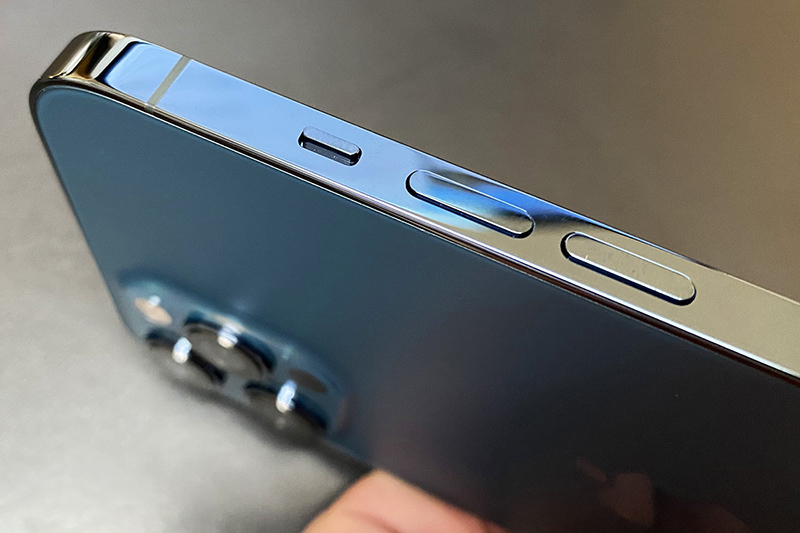
Why Smartphone Shortcuts Matter
Modern smartphones contain countless hidden tools and gesture controls.
Simple shortcuts may help users:
- Save time
- Use phones one-handed
- Access features faster
- Improve accessibility
- Avoid unnecessary screen taps
Physical buttons remain useful because they work quickly even when:
- The screen is locked
- Hands are wet
- Gloves are worn
- Apps are open
1. Use Volume Buttons as a Camera Shutter
One of the most popular hidden features is using volume buttons to take photos.
On many smartphones:
- Volume up
- Volume down
can function as camera shutter buttons.
Why This Is Helpful
Using the side button may:
- Reduce camera shake
- Make selfies easier
- Improve one-handed photography
- Feel more natural like a real camera
This feature is especially useful for:
- Group photos
- Outdoor shots
- Tripod photography
Many camera apps also support this function.
2. Quickly Silence Incoming Calls
Volume buttons often allow users to silence calls instantly without rejecting them.
When the phone rings:
- Pressing a volume button may mute the ringtone
- The call still continues silently
This is useful during:
- Meetings
- School
- Public places
- Driving
It allows users to stop loud interruptions discreetly.
3. Control Music and Videos Faster
Volume buttons are commonly used for media control, but many people overlook how convenient this can be.
Users can often:
- Adjust music volume instantly
- Lower audio without unlocking the screen
- Control videos during workouts or travel
Some devices and apps even allow:
- Skipping tracks
- Pausing media
- Activating voice assistants
through button combinations or long presses.
4. Trigger Emergency Features
Many modern smartphones include emergency safety shortcuts connected to physical buttons.
Depending on the device, pressing power and volume buttons in certain sequences may:
- Call emergency services
- Share location
- Trigger SOS mode
- Send alerts to emergency contacts
These features may be extremely valuable during:
- Accidents
- Medical emergencies
- Unsafe situations
Important Note
Emergency settings vary by:
- Phone brand
- Operating system
- Country
Users should check device settings carefully to understand how emergency shortcuts work.
5. Improve Accessibility
Volume buttons can help people with:
- Vision impairments
- Motor difficulties
- Accessibility needs
Some phones allow volume buttons to:
- Zoom the screen
- Adjust accessibility features
- Navigate menus
- Activate voice controls
Physical buttons are often easier to use than touchscreen gestures for certain users.
Accessibility shortcuts may significantly improve phone usability.
6. Take Better Screenshots and Screen Recordings
Many smartphones use combinations involving volume buttons for:
- Screenshots
- Screen recording
- Quick captures
For example:
- Power + volume down often captures the screen instantly
This makes it easy to:
- Save conversations
- Capture important information
- Share tutorials
- Record gameplay
Without searching through menus.
Hidden Features Vary Between Phones
Different devices may support different functions depending on:
- Android version
- iPhone model
- Manufacturer customization
- Installed apps
Brands such as:
- Samsung
- Apple
- Xiaomi
- Google Pixel
may include unique button shortcuts.
Exploring phone settings often reveals additional hidden tools.
Why Physical Buttons Still Matter
Despite touchscreen technology, physical buttons remain important because they:
- Provide tactile feedback
- Work quickly
- Improve accessibility
- Function during emergencies
Buttons may also reduce accidental touchscreen mistakes in certain situations.
How to Discover More Hidden Shortcuts
Many smartphone users never explore advanced settings.
Helpful areas to check include:
- Accessibility settings
- Camera settings
- Emergency settings
- Gesture controls
- Button customization
Some devices allow users to assign custom functions to button presses.
Safety Features Are Becoming More Advanced
Smartphone emergency features continue evolving.
Some modern devices now support:
- Crash detection
- Emergency location sharing
- Medical ID access
- SOS sirens
Volume buttons sometimes play a role in activating these tools quickly.
Understanding these features before emergencies occur may be extremely helpful.
Protecting Your Volume Buttons
Because volume buttons are heavily used, keeping them functional matters.
Helpful tips include:
- Avoiding moisture buildup
- Using protective cases
- Cleaning carefully
- Avoiding excessive pressure
Damaged buttons may reduce access to important shortcuts.
Smartphones Are More Powerful Than Most People Realize
Modern phones contain many hidden functions that most users never fully explore.
Learning shortcuts may help people:
- Work faster
- Improve convenience
- Increase safety
- Enhance accessibility
Small features often make surprisingly big differences in daily use.
Final Thoughts
Volume buttons are no longer limited to adjusting sound. From taking photos and silencing calls to activating emergency tools and improving accessibility, these small physical controls now serve many surprisingly useful purposes on modern smartphones.
By exploring hidden settings and shortcuts, users may unlock faster, easier, and more practical ways to interact with their devices every day.