Most of us don't think twice before plugging in a charger.
Your phone battery is low, so you grab the nearest adapter. Your laptop needs power, so you borrow one from another device. A family member's charger is sitting on the table, and it appears to fit your device perfectly.
But here's the problem:
A charger that fits physically isn't necessarily the right charger electrically.
Using an incompatible, damaged, poorly made, or unsuitable charger can create problems ranging from slow charging and overheating to battery damage and electrical hazards.
That doesn't mean every third-party charger is dangerous. Many reputable third-party chargers are perfectly safe and meet appropriate electrical and safety standards.
The real issue is compatibility, quality, and condition.
Here's what you should know before plugging in your next charger.
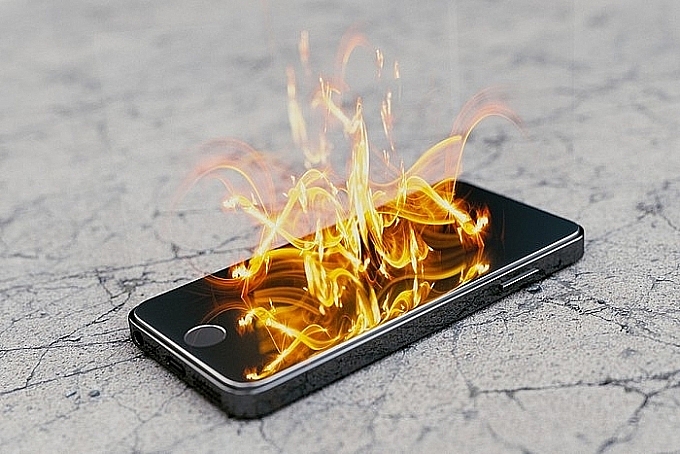
Why the Right Charger Matters
A charger isn't simply a cable with a plug on the end.
A modern charging system involves several components that work together:
-
The wall outlet
-
The power adapter
-
The charging cable
-
The device's charging circuitry
-
The battery
-
Communication protocols that determine how power is delivered
Different devices can require different voltage, current, connectors, and charging protocols.
A charger that physically connects to your device may still be incompatible with it.
That's why “It fits” doesn't necessarily mean “It's safe.”
1. Voltage Is One of the Most Important Things to Check
Voltage is essentially the electrical potential supplied by a charger.
Different devices are designed to operate within specific electrical parameters.
If a power adapter provides an incompatible voltage, it can potentially cause malfunction or damage.
Modern USB charging standards have made things safer because many devices and chargers communicate with each other before higher power levels are delivered.
But that doesn't mean compatibility can be ignored.
When using a charger, make sure it is designed to work with your particular device and charging standard.
For devices with manufacturer-specific power requirements—particularly laptops and other higher-powered electronics—using the correct adapter is especially important.
2. Current Ratings Work Differently
People sometimes assume that a charger with a higher current rating will automatically damage a device.
That's not generally how properly designed power supplies work.
For example, if a device requires a certain amount of current, a compatible power adapter with a higher maximum current capacity doesn't necessarily force that entire amount into the device.
The device draws what it needs, assuming the charger and charging protocol are compatible.
The bigger concern is using an adapter that cannot safely provide the power the device requires or using a charger that doesn't meet the appropriate specifications.
This can result in:
-
Slow charging
-
Charging interruptions
-
Excessive adapter heating
-
Reduced performance
-
Potential electrical stress
The important distinction is between maximum available current and current actually drawn by the device.
3. A Charger Can Look Normal and Still Be Unsafe
Physical appearance isn't always enough to determine whether an electrical adapter is safe.
A charger may appear perfectly normal while having:
-
Poor internal insulation
-
Low-quality components
-
Inadequate thermal protection
-
Weak construction
-
Poor electrical isolation
-
Improper manufacturing
-
Missing or misleading safety certifications
This is one reason extremely cheap, unknown-brand chargers can be a poor choice.
A few dollars saved on an adapter may not be worth compromising electrical safety.
When purchasing replacement chargers, choose products from reputable manufacturers and reliable retailers.
4. Damaged Cables Are a Warning Sign
Sometimes the charger itself is fine, but the cable has become damaged.
Look closely at your charging cables.
Warning signs include:
-
Exposed wires
-
Cracked insulation
-
Severe bending near the connector
-
Burn marks
-
Melted plastic
-
Loose connectors
-
Fraying
-
Unusual heat
-
Intermittent charging
A cable doesn't have to be completely broken before it becomes a problem.
Repeated bending can damage internal conductors even when the outside still looks relatively intact.
If a cable is visibly damaged, replacing it is usually safer than continuing to use it.
5. Overheating Shouldn't Be Ignored
Some warmth during charging can be normal.
Power conversion isn't perfectly efficient, so chargers and devices can produce heat.
However, excessive or unusual heat is different.
Pay attention if:
-
The adapter becomes extremely hot
-
The plug smells burnt
-
The cable becomes unusually hot
-
The device becomes abnormally hot while charging
-
Charging repeatedly stops because of temperature
-
You notice discoloration or melting
Unplug the equipment and stop using it if you notice signs of overheating, burning, smoke, or physical damage.
Don't assume that a hot charger is simply “working hard.”
6. Cheap Knockoff Chargers Can Create Additional Risks
Not every inexpensive charger is dangerous, and price alone doesn't determine safety.
The concern is with chargers that are counterfeit, poorly manufactured, falsely labeled, or lack appropriate safety protections.
A properly designed charger should incorporate safeguards appropriate to its design, such as protection against certain electrical faults and excessive temperature.
Poor-quality products may not provide the same level of protection.
That's why purchasing from an established manufacturer or reputable retailer is generally preferable to buying an unknown adapter with exaggerated specifications.
7. Don't Assume Every USB-C Charger Is Interchangeable
USB-C has made charging more convenient.
But USB-C is a connector type, not a guarantee that every charger and device support exactly the same capabilities.
Two USB-C chargers can have very different power capabilities.
For example, one may be designed primarily for low-power accessories, while another can provide substantially more power for a laptop.
Similarly, cables can have different capabilities.
Some USB-C cables support higher power and data rates than others.
That's why it's important to consider the specifications of both the charger and the cable.
8. USB Power Delivery Can Make Charging Safer and More Flexible
Many modern devices use standards such as USB Power Delivery (USB PD).
With compatible equipment, the charger and device can communicate to determine an appropriate power level.
This allows one charger to support multiple devices with different power requirements.
For example, a suitable USB-C PD charger may be able to charge:
-
A smartphone
-
Wireless earbuds
-
A tablet
-
A laptop
But compatibility still matters.
The charger, cable, and device must support the necessary charging protocol and power level.
Don't assume that simply having USB-C connectors means everything will work optimally.
9. Your Laptop Needs Special Attention
Laptop chargers deserve particular caution.
A laptop may require considerably more power than a smartphone.
Using an adapter that doesn't provide sufficient power may result in:
-
Slow charging
-
Battery drain while the laptop is being used
-
Reduced performance
-
Charging interruptions
Modern USB-C laptops may support standardized charging, but the charger still needs to provide adequate power.
For laptops with proprietary charging connectors, use the manufacturer's specified adapter or a reputable compatible replacement that explicitly matches the required specifications.
10. Don't Ignore Strange Smells
A burning, chemical, or melted-plastic smell coming from a charger, cable, outlet, or device is a warning sign.
Stop using the equipment and disconnect it safely if you can do so without touching a dangerous or damaged component.
Never continue using an electrical device simply because:
“It still works.”
Electrical problems can exist before complete failure occurs.
If the smell appears to come from the wall outlet, power strip, or household wiring rather than the charger itself, have the electrical installation inspected by a qualified professional.
11. Loose Wall Outlets Can Be a Problem
Sometimes the charger isn't the problem.
The outlet itself may be worn or damaged.
If a plug fits unusually loosely, falls out easily, sparks repeatedly, feels hot, or shows discoloration, don't keep using that outlet.
A loose electrical connection can create resistance and heat.
Signs that an outlet may need attention include:
-
Burning smell
-
Scorch marks
-
Buzzing or crackling
-
Heat
-
Discoloration
-
Sparks
-
Loose plugs
Electrical work should be handled by a qualified electrician when appropriate.
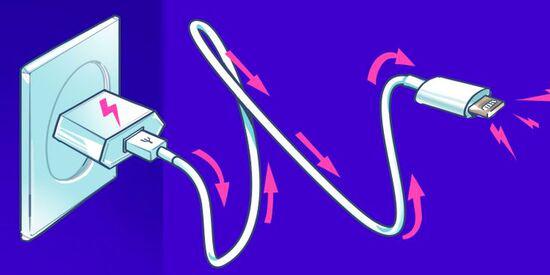
12. Be Careful With Power Strips and Extension Cords
Many people plug several chargers into one power strip.
For low-power electronics, a quality power strip in good condition is generally designed to handle ordinary loads.
But problems can arise when a single extension cord or power strip is overloaded with high-power appliances.
Avoid connecting high-power appliances through unsuitable extension cords or overloaded power strips.
Particularly high-power devices can include:
-
Space heaters
-
Portable air conditioners
-
Electric kettles
-
Microwaves
-
Hair dryers
-
Some kitchen appliances
A phone charger consumes far less power than these devices.
The danger comes from treating every electrical load as though it were interchangeable.
13. Charging Overnight Requires Good Equipment
Many people charge their phones overnight.
Modern smartphones and chargers incorporate charging-management systems designed to control charging, and devices generally don't continue charging at maximum power indefinitely once the battery is full.
Nevertheless, good equipment and proper charging conditions still matter.
Avoid charging with:
-
Damaged cables
-
Damaged adapters
-
Counterfeit chargers
-
Chargers showing signs of overheating
-
Cables trapped under bedding
-
Equipment placed where heat cannot escape
Don't put a charging device underneath a pillow or thick blanket.
Heat needs somewhere to dissipate.
14. Keep Chargers Away From Water
This may sound obvious, but bathrooms and kitchens are common places for charging electronics.
Water and electricity are a dangerous combination.
Avoid using or charging devices where they could fall into:
-
Sinks
-
Bathtubs
-
Showers
-
Pools
-
Wet countertops
Don't handle electrical equipment with wet hands when doing so could expose you to electrical hazards.
If an electrical device or charger gets wet, don't simply plug it in again to “see if it still works.”