Whether you’re traveling for work, vacation, or a short getaway, staying in a hotel or guesthouse is often part of the experience. While most hotels are safe and professionally managed, being in an unfamiliar environment always carries certain risks, especially when it comes to personal privacy.
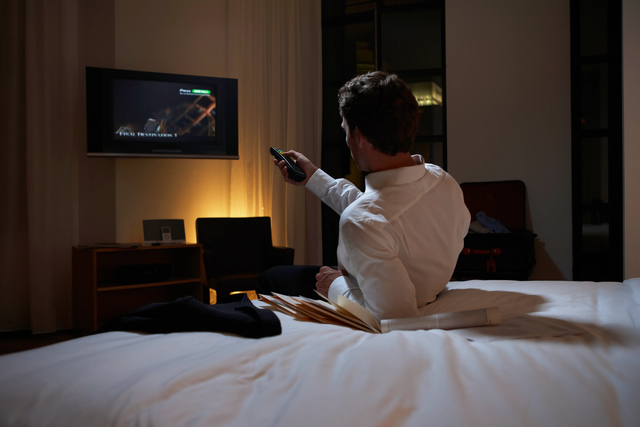
One simple habit that many experienced travelers follow is unplugging the TV immediately after checking into a hotel room. This small action may seem unnecessary at first, but it can play an important role in protecting your privacy and helping you spot anything unusual in the room.
Why Extra Caution Is Necessary in Hotel Rooms
Reputable hotels do not intentionally place hidden cameras in guest rooms. However, privacy risks don’t always come from the hotel itself. In some cases, criminals or malicious individuals may rent rooms and secretly install surveillance devices for illegal purposes, such as recording other guests.
Because hotel rooms are used by many people over time, guests should take a few minutes to inspect the space upon arrival—just as you would check doors and locks at home.
Why the TV Is One of the First Things You Should Check
When inspecting a hotel room, many people focus on obvious areas like the bathroom or bedroom, but the TV is often overlooked, even though it is one of the most common hiding places for covert recording devices.
TVs Are Ideal Hiding Spots for Several Reasons
-
Central position: TVs are usually placed directly facing the bed, providing a wide and unobstructed view of the room.
-
Built-in electronics: Set-top boxes, HDMI ports, and power cables make it easy to hide extra devices without raising suspicion.
-
Infrared compatibility: TVs and set-top boxes already use infrared signals for remote controls, which criminals can exploit to disguise hidden cameras.
-
Low attention: Guests rarely inspect the TV closely, assuming it is harmless.
Hidden cameras may be placed:
-
Along the edges of the TV frame
-
Inside the set-top box
-
Near ventilation holes or ports
Unplugging the TV allows you to inspect it more carefully and ensures that no unknown devices are receiving power.
What You Should Do Immediately After Checking In
As soon as you enter your room, take a few minutes to perform a basic safety check.
Step-by-Step Actions
-
Unplug the TV and examine the back, sides, and surrounding area.
-
Look for small holes, tiny lenses, unusual wires, or unfamiliar attachments.
-
Inspect the set-top box and any connected devices.
-
Trust your instincts—if something looks out of place, it’s worth investigating further.
Other Common Places Hidden Cameras May Be Concealed
Hidden cameras are designed to blend in. Besides the TV, check other objects that naturally face the room or bed:
-
Alarm clocks
-
Lamps or bedside lights
-
Air conditioners or vents
-
Smoke detectors
-
Power outlets and USB charging ports
-
Picture frames or decorative items
-
Mirrors (especially two-way mirrors in bathrooms)
Any object that has a direct view of the bed or bathroom deserves closer attention.
How to Detect Hidden Cameras Using Your Smartphone
Your phone can be a useful tool for detecting hidden cameras, especially those that use infrared light.
1. Use Your Phone’s Flashlight
-
Turn off all the lights in the room.
-
Close the curtains to block outside light.
-
Use your phone’s flashlight and slowly scan walls, the TV, furniture, and electronics.
-
Look for tiny reflective dots, red glints, or unusual light reflections—these may indicate a camera lens.
2. Use Your Phone’s Camera
-
Turn off the room lights again.
-
Open your phone’s camera in video mode.
-
Slowly move the phone around the room.
-
Many phone cameras can detect infrared light, which may appear as small glowing or blinking dots on the screen.
Focus on areas where a camera could logically be hidden.
What to Do If You Find Something Suspicious
If you suspect a hidden camera:
-
Do not touch it directly.
-
Take photos or videos as evidence.
-
Contact hotel management immediately.
-
If necessary, request a room change or leave the property.
-
In serious cases, contact local authorities.
Your privacy and safety should always come first.
Additional Tips for Protecting Your Privacy While Traveling
-
Avoid undressing or engaging in private activities until you feel confident the room is safe.
-
Use “Do Not Disturb” signs to limit unnecessary room entry.
-
Consider using a portable privacy scanner if you travel frequently.
-
Lock your luggage and personal belongings when leaving the room.
Final Thoughts
Unplugging the TV and checking your hotel room for hidden cameras may seem excessive, but it’s a simple, quick precaution that costs nothing and offers peace of mind. In an unfamiliar space, awareness is your best protection.
Most hotel stays are perfectly safe, but taking a few minutes to inspect your surroundings can help you avoid rare but serious privacy risks. When it comes to personal security, being cautious is far smarter than being careless.
A few small steps upon check-in can make a big difference - helping you relax, rest, and enjoy your stay with confidence.